In today’s digital world, privacy, security, and access control are more important than ever. Whether you're browsing websites, managing online data, or running automated systems, you’ve likely encountered the term proxy server. But what exactly is it, and why does it matter?
What Is a Proxy Server?
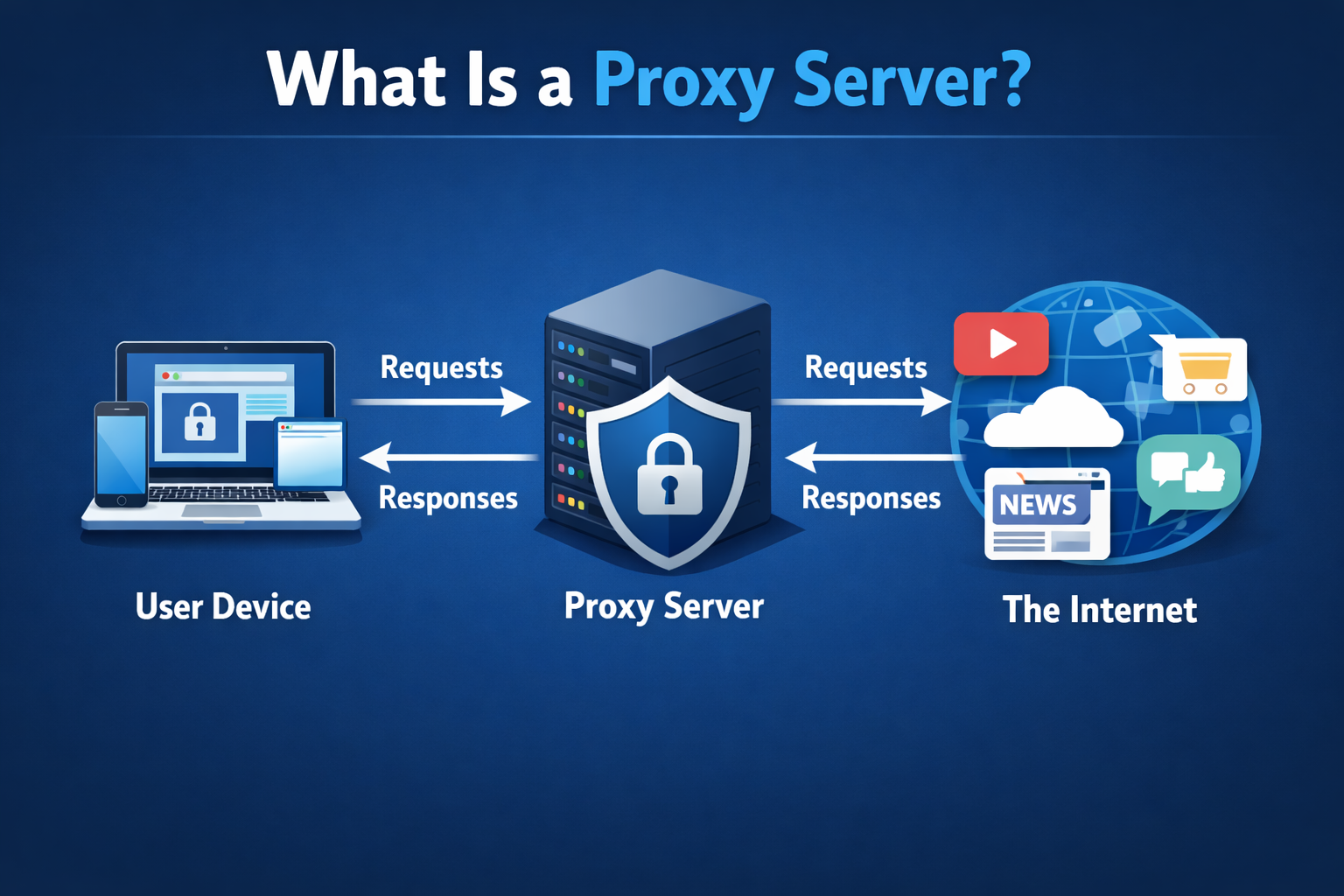
A proxy server acts as an intermediary between your device and the internet. Instead of connecting directly to a website, your request is first sent to the proxy server. The proxy then forwards your request to the target website, receives the response, and sends it back to you.
In simple terms, a proxy server sits “in between” you and the internet.
How Does a Proxy Server Work?
Here’s a basic step-by-step process:
- You request access to a website (e.g., example.com).
- The request is sent to the proxy server.
- The proxy server forwards the request to the destination server.
- The website responds to the proxy server.
- The proxy server sends the response back to you.
This process helps mask your real IP address and can add layers of control and security.
Key Benefits of Using a Proxy Server
1. Enhanced Privacy
A proxy server hides your IP address, making it harder for websites to track your real location or identity.
2. Improved Security
Some proxies filter malicious traffic, block harmful websites, and add an extra layer of protection against cyber threats.
3. Access Control
Organizations use proxies to restrict access to certain websites or monitor employee activity.
4. Bypassing Restrictions
Proxies allow users to access geo-restricted content by routing traffic through servers in different locations.
5. Faster Performance (Caching)
Some proxy servers cache frequently accessed content, reducing load times and bandwidth usage.
Types of Proxy Servers
1. Forward Proxy
The most common type, used by clients to access the internet indirectly.
2. Reverse Proxy
Placed in front of web servers, often used for load balancing, caching, and security.
3. Transparent Proxy
Does not modify requests and is often used for content filtering or monitoring.
4. Anonymous Proxy
Hides your IP address but may still identify itself as a proxy.
5. High Anonymity Proxy (Elite Proxy)
Completely hides both your IP and the fact that you're using a proxy.
Proxy vs VPN: What’s the Difference?
While both proxies and VPNs help protect privacy, they work differently:
- Proxy Server: Works at the application level and usually handles specific traffic (e.g., browser).
- VPN (Virtual Private Network): Encrypts all internet traffic from your device and provides stronger security.
Common Use Cases
- Web scraping and data collection
- Managing multiple social media or ad accounts
- Accessing region-locked content
- Enhancing online privacy
- Corporate network control
Are Proxy Servers Safe?
Proxy servers can improve security, but not all proxies are trustworthy. Free or poorly managed proxies may log your data or expose you to risks. It’s important to choose reliable and secure proxy providers.
Conclusion
A proxy server is a powerful tool for improving privacy, controlling access, and optimizing internet usage. Whether you're an individual user or managing large-scale systems, understanding how proxies work can help you make smarter decisions online.